
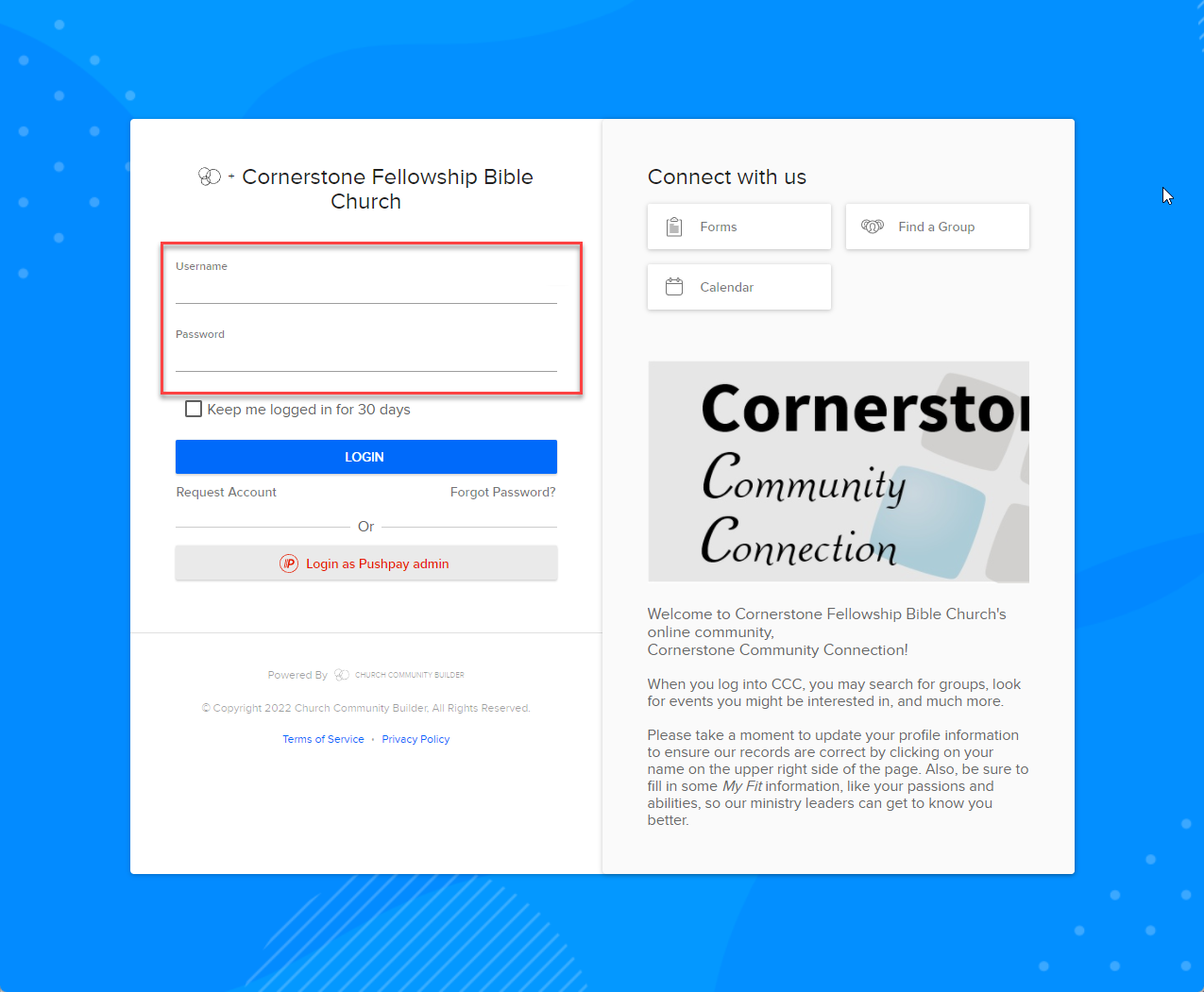
Generating your own giving statement is a process that is very easy and accessible to anyone with a CCC profile.
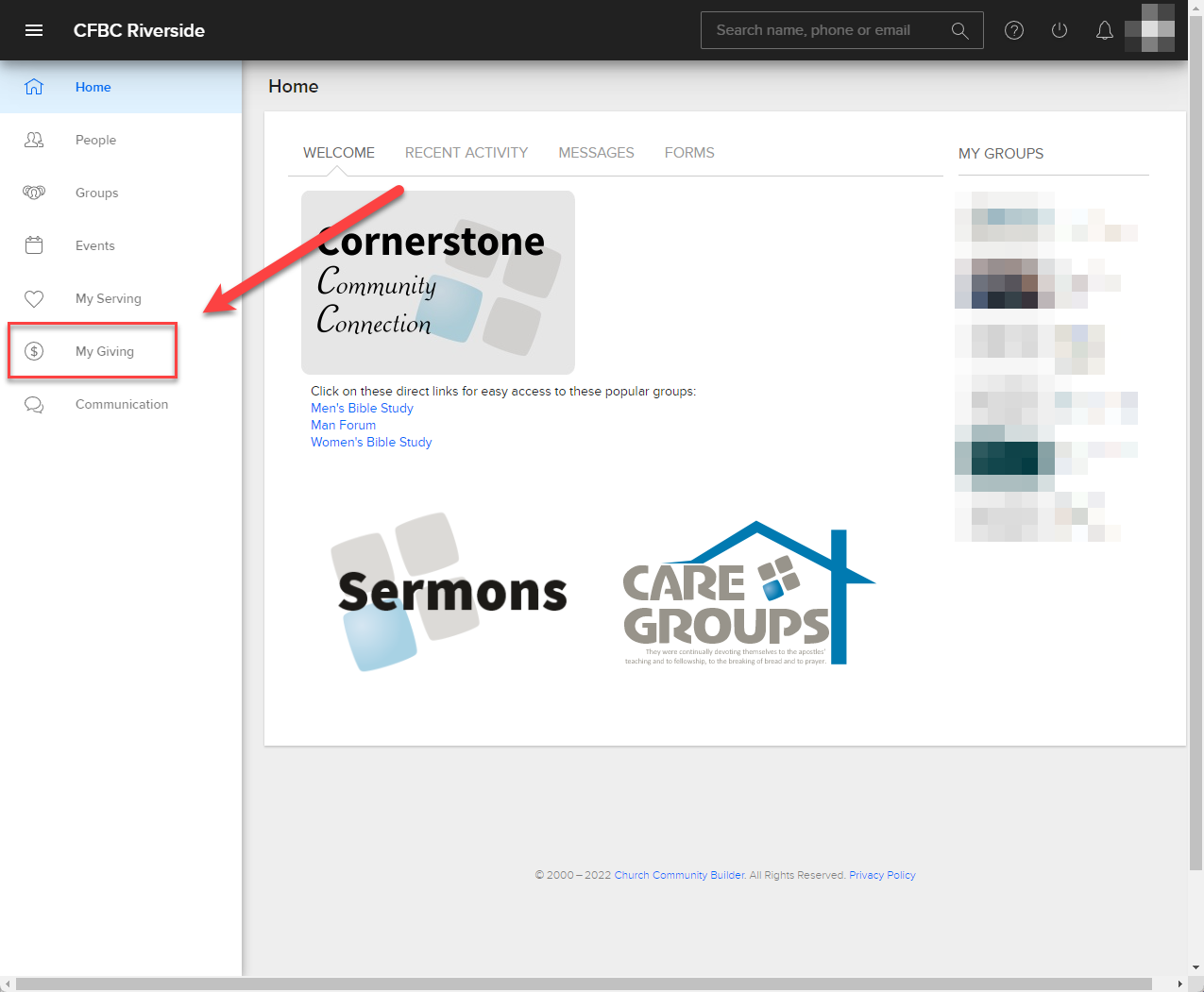
- Click on the "My Giving" tab on the left-hand side
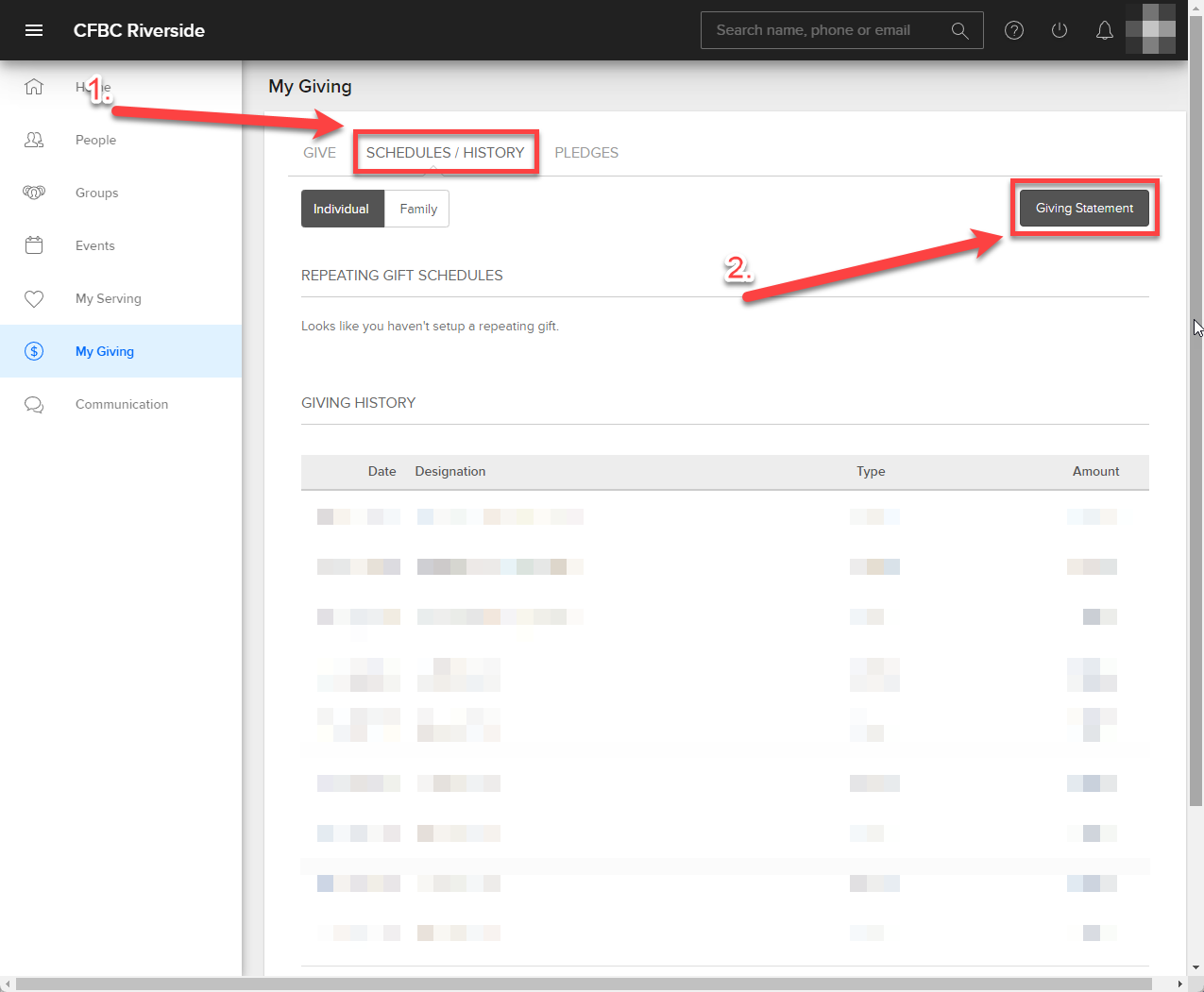
- Click on the "SCHEDULES/HISTORY" tab, then click the "Giving Statement" button
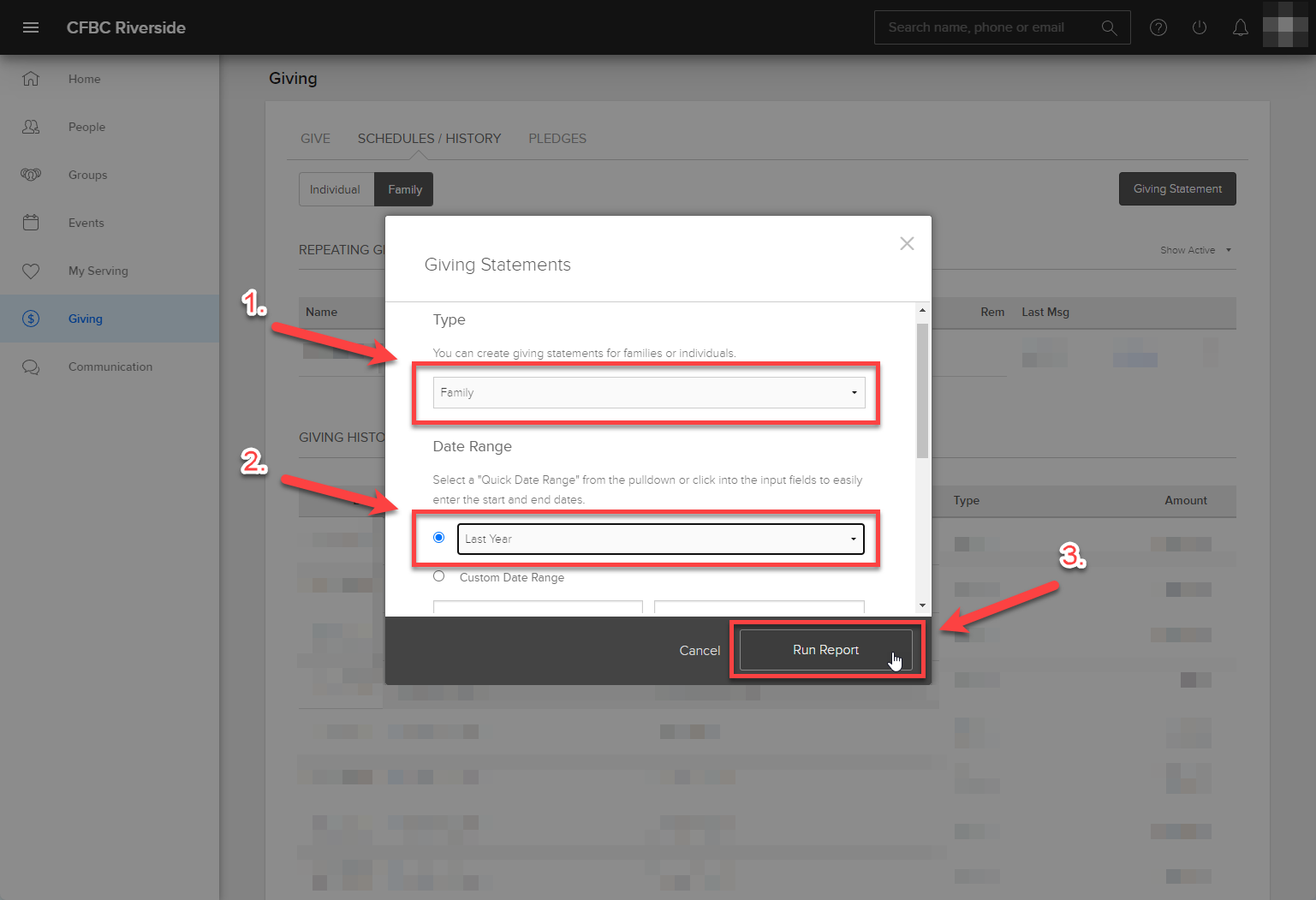
- Select "Individual" or "Family" as the Type, set the Date Range to "Last Year", then click the "Run Report" button.
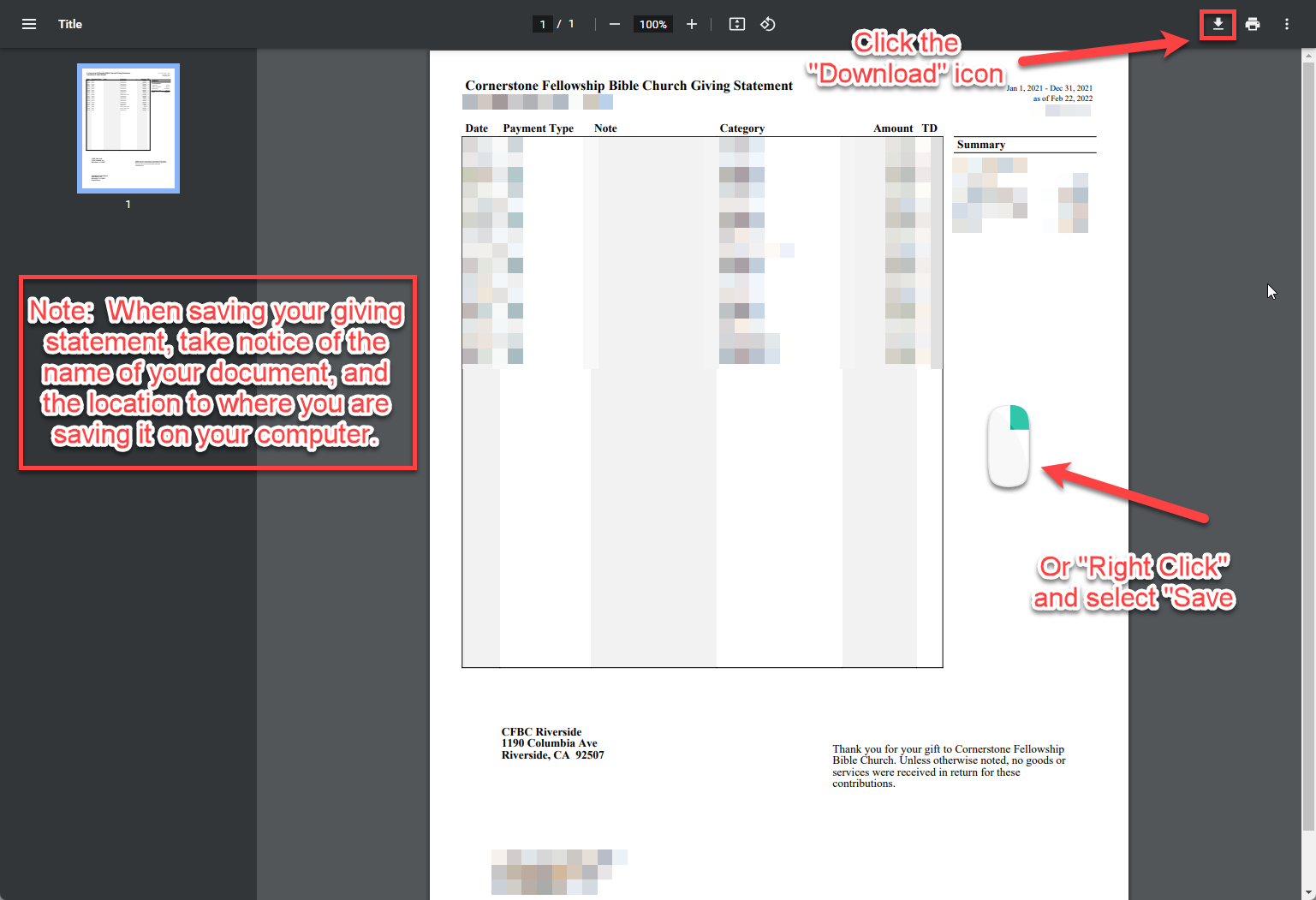
- Click the "Download" icon in the upper right, or "Right-click" on the document itself and select "Save-as". Remember what you named the document and where you saved it on your computer so you can easily find it once it has been saved.
- You're all done! If you have any questions about this process please submit a request at the bottom of our website.